Play Snake in Your Tesla Browser - Free Game With Daily Challenges
November 17, 2026 · 6 min read
Remember Snake? That simple game where you collect points, grow longer, and try not to crash into your own tail?
Well, you can now play it directly in your Tesla browser.
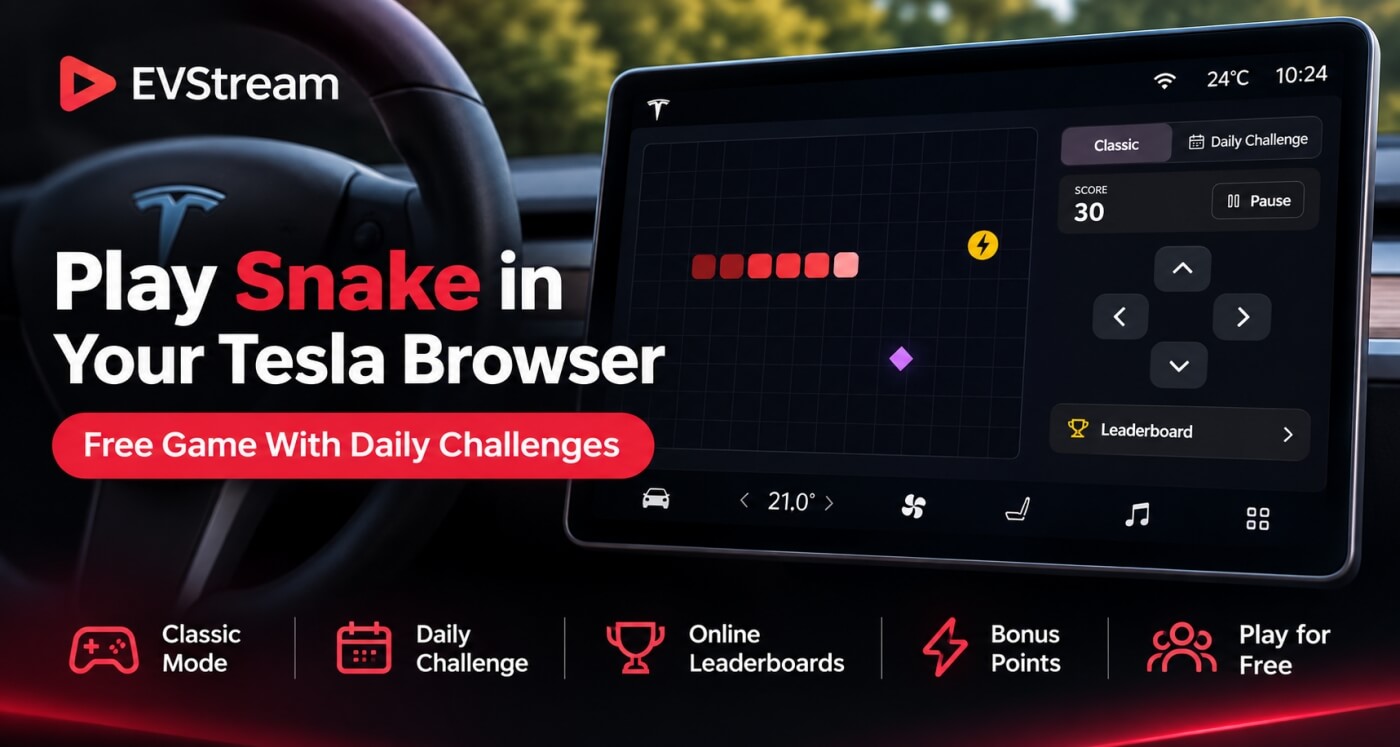
We've added our own version of Snake to EVStream, complete with touch controls, daily challenges, bonus points, and leaderboards where you can compete against other players.
And the best part? It's completely free.
You don't need to install anything or pay for an EVStream Pro subscription.
Just open the browser, find Snake, and start playing.
How to Play Snake in Your Tesla
Getting started takes just a few seconds.
Open your Tesla browser and visit evstream.app/dashboard/games.
Find Snake in the Featured Games section and select it.
You'll see the game board on the left, with your score, controls, and leaderboard on the right.
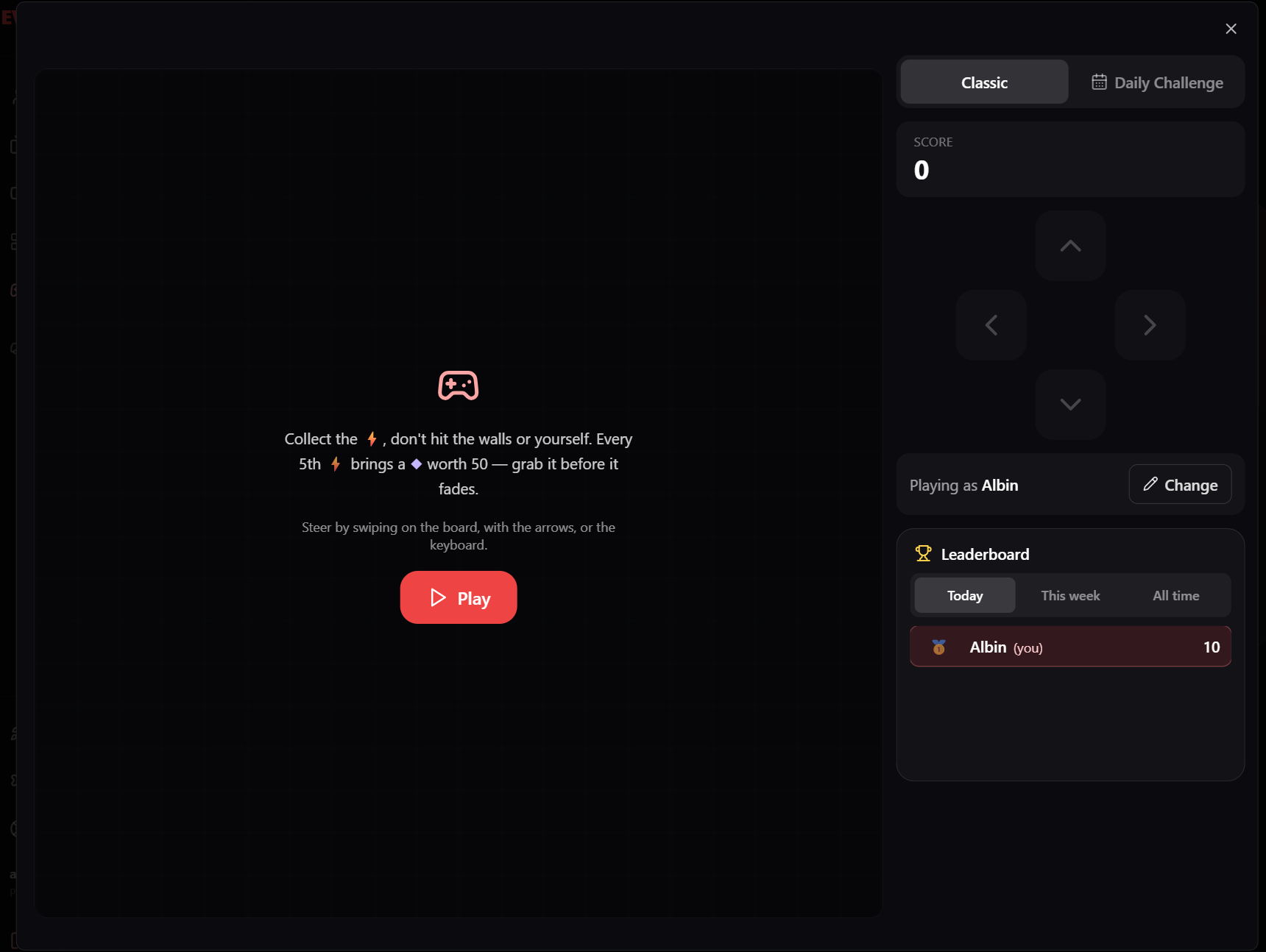
Press Play to begin.
The game works on Tesla touchscreens, but you can also play it on your phone, tablet, or computer.
That means you don't need to be sitting in your Tesla to enjoy it.
How Does the Game Work?
If you've played Snake before, you'll feel right at home.
You control a red snake moving around a 20 x 20 grid.
Your goal is to collect yellow lightning bolts without crashing into a wall or running into your own tail.
Every lightning bolt you collect gives you 10 points and makes your snake one square longer.
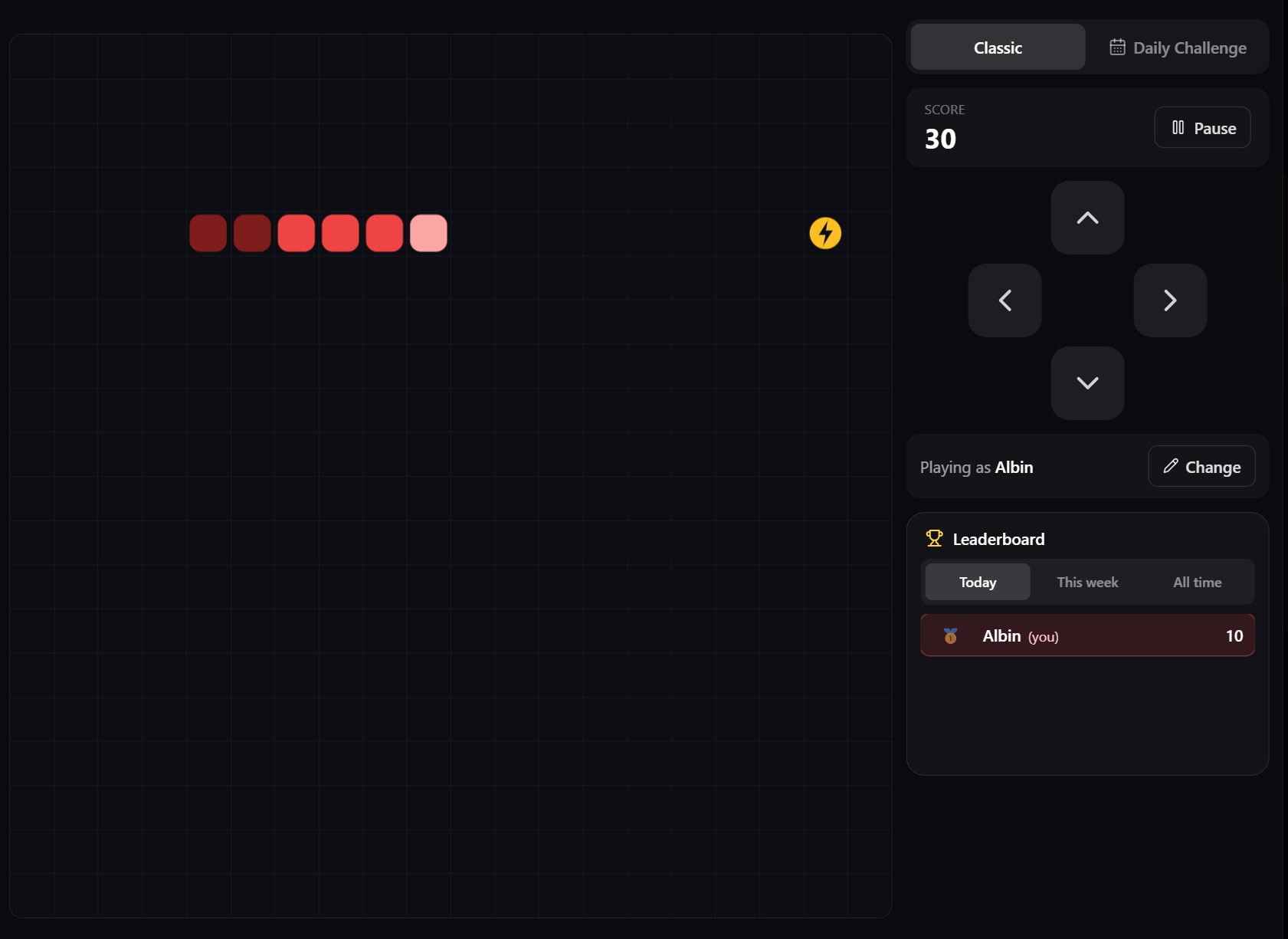
Sounds easy, right?
There's a catch.
Your snake gets faster every time you collect a lightning bolt.
After collecting 20, it's moving at more than twice its starting speed.
The longer you survive, the harder it becomes to avoid crashing.
And if you somehow manage to fill the entire board without hitting yourself, you've won.
Watch Out for the Bonus Diamonds
We've added something extra to make things a little more interesting.
Every fifth lightning bolt brings a special purple diamond onto the board.
That diamond is worth 50 bonus points.
But you'll need to be quick.
The diamond slowly fades away, and if you don't collect it before it disappears, you've missed your chance.
This adds another challenge because you have to decide whether chasing the bonus is worth the risk.
Sometimes it's better to play it safe.
Other times, those extra 50 points could be exactly what you need to beat your previous high score.
Easy Controls for Tesla Touchscreens
Snake was designed to work well on a touchscreen, including the large display inside your Tesla.
You have two ways to control it.
Swipe directly on the game board
Move your finger in the direction you want the snake to turn. You don't need to lift your finger between turns, so you can make several moves in one swipe.
Use the arrow buttons
There are four large directional buttons next to the game board, designed to be easy to use on touchscreens.
If you're playing on a computer, you can also use your keyboard.
The arrow keys and WASD both work.
Space or Enter starts a game, and Space can pause or resume it.
We've also made sure quick turns are handled properly. If you quickly turn up and then left, the game remembers both moves.
And don't worry about accidentally turning straight back into your own tail. The game prevents that.
Daily Challenge - Everyone Plays the Same Game
This is one of my favorite features we've added.
Alongside the normal Snake game, there's a Daily Challenge.
Instead of everyone getting a different game, all players get the same layout for that day.
The lightning bolts and bonus diamonds appear in the same places for everyone.
That means you're competing on equal terms.
Maybe you score 180 points, but someone else manages 320.
Now you know it's possible to do better.
You can try again as many times as you like, and only your best score for the day counts toward the Daily Challenge leaderboard.
A new challenge starts every day at midnight US Pacific time.
The game also shows a countdown and the start time in your local time zone, so you'll know when the next challenge begins.
It's a fun reason to come back and try again tomorrow.
Compete With Other Players on the Leaderboards
What's the point of getting a great score if nobody knows about it?
Snake includes online leaderboards where you can see how your score compares with other EVStream players.
In Classic mode, there are three leaderboards:
- Today - the best scores from today
- This Week - the best scores since Monday
- All Time - the best scores ever recorded
Daily Challenge has its own leaderboard for that day's game.
Each leaderboard displays the top 50 players, with gold, silver, and bronze medals for the top three.
Your own position is highlighted, and you can still see your score even if you're not in the top 50.
So whether you're trying to become the best player today or beat the all-time record, there's always something to aim for.
Do You Need an EVStream Account?
No account is required to play.
You can open Snake and enjoy both Classic and Daily Challenge for free.
However, if you want your scores saved and displayed on the leaderboards, you'll need to sign in.
A free EVStream account is enough. You don't need Pro.
Once you're signed in, you can choose a leaderboard name.
That name is what other players will see instead of your email address.
You can change it later if you want.
We've also made things easier for families sharing an EVStream account.
Each viewer profile can have its own leaderboard name and scores.
So if several family members use the same account, everyone can compete separately.
Pause and Continue Later
Sometimes you're halfway through a good game and need to stop.
No problem.
Snake has a Pause button, but it also pauses automatically when you switch tabs, leave the game, or your screen turns off.
If you're signed in and return within 10 minutes, your game can still count toward the leaderboard.
This is particularly useful when playing in your Tesla.
Maybe charging finishes sooner than expected, or you need to leave the car for a moment.
You don't have to keep the game running just to protect your score.
And because Snake is lightweight, it uses very little of the car's computing resources and stops running when you're not viewing it.
Keeping the Leaderboards Fair
We wanted the leaderboards to be fun, but also fair.
Nobody wants to spend time beating their personal best only to find impossible scores at the top.
That's why Snake doesn't simply trust the score submitted by your browser.
When a game ends, our server checks the moves you made and calculates the score itself.
Games played at impossible speeds or paused for too long won't count.
The goal is simple.
If someone is sitting at the top of the leaderboard, they should have earned that position by actually playing.
A Great Game for Tesla Charging Stops
Snake is especially fun when you've got a few minutes to spare.
Maybe you're waiting at a Supercharger.
Maybe you're parked and waiting for someone.
Or maybe you simply want a quick game without installing anything.
Open EVStream, play a round or two, and see whether you can beat your previous score.
If you're looking for other ways to enjoy your Tesla while charging, we've also put together a guide to the best things to do while charging your Tesla.
And if you want more websites and games worth trying, check our best Tesla browser apps and websites guide.
Snake is just one of the games available through EVStream.
Can You Play Snake Without Premium Connectivity?
You don't need Tesla Premium Connectivity specifically to access EVStream's browser games.
A working Wi-Fi connection, including a phone hotspot, can provide internet access to the Tesla browser.
If you don't have Premium Connectivity, our guide explains how to use the Tesla browser without Premium Connectivity.
For online features such as saved scores and leaderboards, you'll need an internet connection.
Frequently Asked Questions
Can I play Snake in my Tesla browser?
Yes. Open evstream.app/dashboard/games from your Tesla browser and select Snake in the Featured Games section.
Is the EVStream Snake game free?
Yes. Classic mode and Daily Challenge are both free. You don't need an EVStream Pro subscription.
Do I need an account to play?
No. Anyone can play. A free account is only needed if you want your scores saved and included in the leaderboards.
What is the Snake Daily Challenge?
It's a special game where everyone receives the same daily layout. You can play as many times as you want, and your best score counts toward that day's leaderboard.
Can I play on my phone or computer?
Yes. Snake works in supported browsers on Tesla screens, phones, tablets, and computers. You can use touch controls or a keyboard.
How do I get a higher Snake score?
Collect lightning bolts for 10 points each, grab the purple diamonds for 50 bonus points, and avoid crashing. Remember that the snake gets faster as your score increases.
Ready to Play?
We wanted to bring something simple, fun, and a little competitive to EVStream.
Snake seemed like the perfect choice.
It's easy to learn, works well on touchscreens, and gives you a reason to come back with new Daily Challenges and online leaderboards.
Whether you're trying to beat your own record or reach the top of the all-time leaderboard, there's always another score to chase.
Play Snake for free: evstream.app/dashboard/games
No installation. No Pro subscription required.
Just press Play and see how far you can get.
Open your Tesla browser and try it today
Charge your car. Stream your favorites.
Launch EVStream.app