Can You Watch YouTube in a Tesla While It's in Drive?
October 13, 2026 · 7 min read
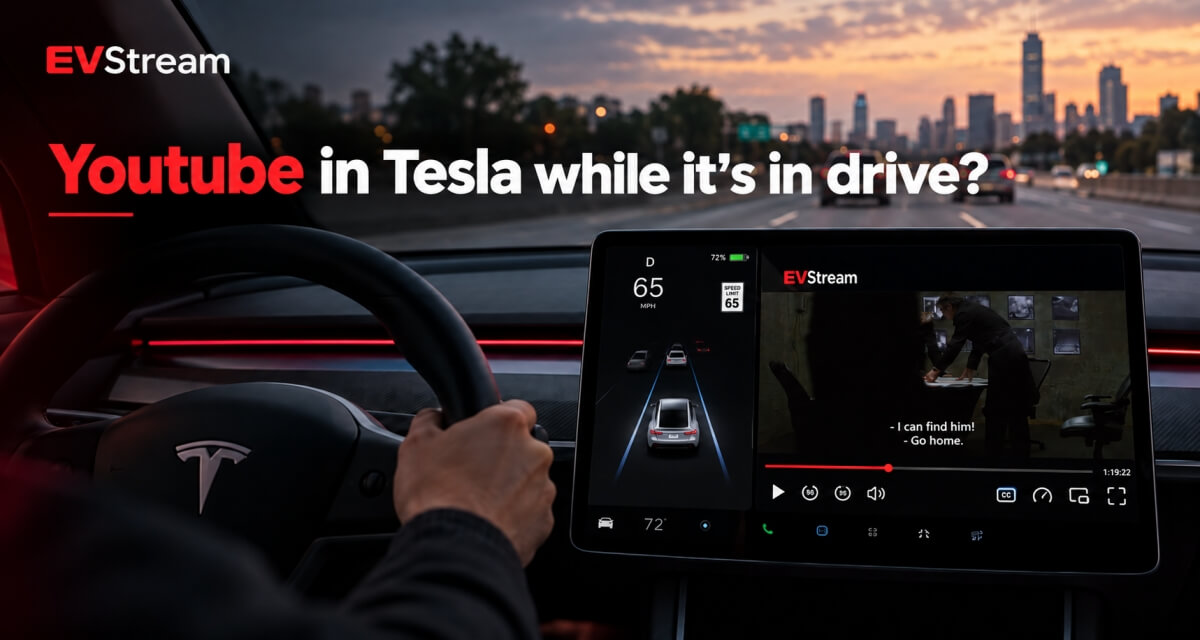
If you own a Tesla, you probably already know that YouTube is available when the car is parked.
But there is another question many Tesla owners have:
Can YouTube keep playing when the Tesla is in Drive?
The short answer is that Tesla's normal front-screen video experience is designed for use while parked. When the vehicle leaves Park, normal video playback on the front touchscreen is restricted.
However, browser-based video can behave differently depending on the website, Tesla model, software version and browser environment.
Parked
Video plays on the touchscreen
In Drive
Front-screen video is restricted
Browser-based playback can behave differently - and it's for passengers.
EVStream was built specifically around browser-based playback, and on some Tesla and EV browser versions its Flex Mode may keep video playback available while the vehicle is in Drive.
There is one very important point, though:
Video playback while the vehicle is in Drive is for passenger use only.
The driver should never watch or interact with video content while driving.
Let's look at how YouTube normally works in a Tesla, where EVStream fits in, and what you should know about compatibility.
How YouTube Normally Works in a Tesla
Tesla includes YouTube as part of its entertainment experience.
When the vehicle is parked, you can open YouTube and watch videos directly on the car's touchscreen.
Tesla intentionally restricts front-screen video when the vehicle leaves Park. This is a safety feature designed to keep the driver's attention on the road.
So if you're using Tesla's normal YouTube experience and shift into Drive, you should not expect the front display to continue behaving exactly as it does while parked.
This is where browser-based playback becomes a little more interesting.
Browser-Based YouTube Works Differently
EVStream runs through the Tesla browser rather than being a native Tesla Theater app.
There is nothing to install.
You simply open evstream.app/youtube.
EVStream provides its own YouTube experience built specifically with browser-based devices in mind.
You can search for videos, browse channels and playlists, use autoplay, view comments and chapters, continue videos you've already started and access your EVStream watch history.
And YouTube videos play without ads.
If you're mainly interested in the ad-free experience, we have a separate guide explaining how to watch YouTube in your Tesla without ads.
What Happens When the Tesla Is in Drive?
This is the part most people asking this question actually want to know.
On some Tesla and EV browser versions, EVStream's alternative playback methods may allow video playback to remain available while the vehicle is in Drive.
This is handled through EVStream's Flex Mode.
Compatibility can vary depending on:
- Tesla model
- Vehicle software version
- Browser version
- Hardware generation
- The playback method being used
So this is not something we describe as guaranteed on every Tesla.
One vehicle may behave differently from another, especially when comparing older and newer browser environments.
EVStream continues to improve compatibility across these different setups.
What Is Flex Mode?
Flex Mode is EVStream's alternative playback system.
We originally built it because standard browser video playback doesn't behave the same way on every device.
A video that works perfectly on a new laptop may behave differently on an older browser, a TV or an in-car browser.
Flex Mode gives EVStream another way to handle playback when normal browser playback isn't the best option.
It can be particularly useful with older Tesla browser versions and vehicles where standard playback has more limitations.
For fully supported browsers, normal playback usually gives the best experience.
Flex Mode is there when additional compatibility is needed.
If you want to learn more about the features we've added to EVStream YouTube, including search, playlists, autoplay, chapters, comments and Flex Mode, read EVStream YouTube Just Got a Major Upgrade.
Is It Available on Every Tesla?
No.
We don't want to pretend that every Tesla model and every software version behaves exactly the same way.
Tesla updates its software regularly, browser behavior can change, and different vehicle generations can use different hardware.
That's why EVStream's compatibility features are designed around having more than one playback option available.
If something behaves differently on your Tesla compared with another owner's car, that doesn't necessarily mean something is broken.
It may simply be a different browser or software environment.
If you're having general playback problems, our guide on Tesla browser video not playing covers the most common causes and tests you can try.
Who Is This Feature For?
Passengers.
That's important enough to say clearly.
If video remains available while a Tesla is in Drive, it should only be watched by passengers.
The driver should keep their attention on the road and should never watch, search for, select or interact with video content while driving.
Local laws can also differ, so always follow the rules that apply where you're driving.
For the driver, YouTube is best enjoyed while the vehicle is parked - for example while charging, waiting for someone or taking a break.
YouTube Without Ads Is Still One of the Biggest Benefits
Playback compatibility is useful, but for many Tesla owners the biggest reason to use EVStream YouTube is much simpler:
No ads.
If you're sitting at a charger for 20 or 30 minutes, you probably don't want to spend part of that time watching pre-roll and mid-video ads.
With EVStream, you can open a video and watch it without those interruptions.
There is no separate app to install and you don't need to modify anything in your Tesla.
Open the browser, visit evstream.app/youtube and start watching.
More Than Just Basic YouTube Playback
EVStream's YouTube section has grown quite a bit.
You can use features including:
- Search suggestions
- Search filters
- Relevance and newest sorting
- Channels and channel pages
- Playlists
- Previous and Next
- Autoplay
- Chapters
- Comments
- Related videos
- Continue Watching
- Watch history
- Double-tap to skip
- Sharing
- Trending content
The goal isn't just to make a video appear on the screen.
We want YouTube in the Tesla browser to feel like a proper video experience.
You can see the full feature list in our EVStream YouTube update.
What If You Mostly Use Your Tesla While Charging?
Then you may not need to think about playback in Drive at all.
Charging stops are actually one of the best times to use the Tesla browser.
You can watch YouTube, check the weather, plan the next part of your trip, play games, read the news or use other browser-based tools.
We've collected some of our favorites in Best Tesla Browser Apps and Websites You Should Try.
That guide is a good place to start if you want to get more use out of the Tesla browser beyond YouTube.
How to Try EVStream YouTube
Getting started is simple.
Open the Tesla browser and visit evstream.app/youtube.
You can try the YouTube experience before choosing a paid plan.
Full EVStream Pro access includes the additional compatibility features available through Flex Mode.
You can see the current plans on the pricing page.
There is nothing to install and you can also use the same EVStream account from your computer, phone or other supported browser.
Frequently Asked Questions
Can YouTube play while a Tesla is in Drive?
Tesla's normal front-screen Theater video is intended for use while parked.
On some Tesla and EV browser versions, browser-based playback through EVStream may remain available while the vehicle is in Drive. Compatibility varies by vehicle, browser and software version.
Any video available while driving is intended for passenger use only.
Does EVStream work on every Tesla?
EVStream is designed to work across Tesla and other browser-based devices, but playback behavior can vary depending on vehicle hardware and software.
Flex Mode provides alternative playback methods for browsers where normal playback has compatibility limitations.
Does EVStream YouTube have ads?
EVStream's YouTube experience plays videos without YouTube ads.
You can open it directly at evstream.app/youtube.
Do I need to install anything?
No.
EVStream is browser-based.
Open the Tesla browser and visit EVStream directly.
Is Flex Mode only for Tesla?
No.
Flex Mode is a compatibility feature designed for different browsers and devices, including older browser environments.
It's particularly useful in situations where normal browser video playback has limitations.
Can the driver watch YouTube while driving?
No.
Drivers should never watch or interact with video while driving.
If video playback is available while the vehicle is in Drive, it is intended for passengers only.
Final Thoughts
So, can YouTube play in a Tesla while it's in Drive?
With Tesla's normal front-screen entertainment experience, video is intended for use while parked.
Browser-based playback can behave differently.
On some Tesla and EV browser versions, EVStream's Flex Mode may keep playback available while the vehicle is in Drive, although compatibility can vary between vehicles and software versions.
More importantly, EVStream gives Tesla users a YouTube experience built specifically around browser compatibility, with no ads and no app installation.
If you want to try it, open evstream.app/youtube.
For more Tesla browser ideas, take a look at our guide to the best Tesla browser apps and websites.
And remember - any video playback available while the vehicle is in Drive is for passengers only. The driver should always keep their attention on the road and follow local laws.
Open your Tesla browser and try it today
Charge your car. Stream your favorites.
Launch EVStream.app