Tesla Browser Has an Ad Blocker - What Does It Actually Do?
October 25, 2026 · 7 min read
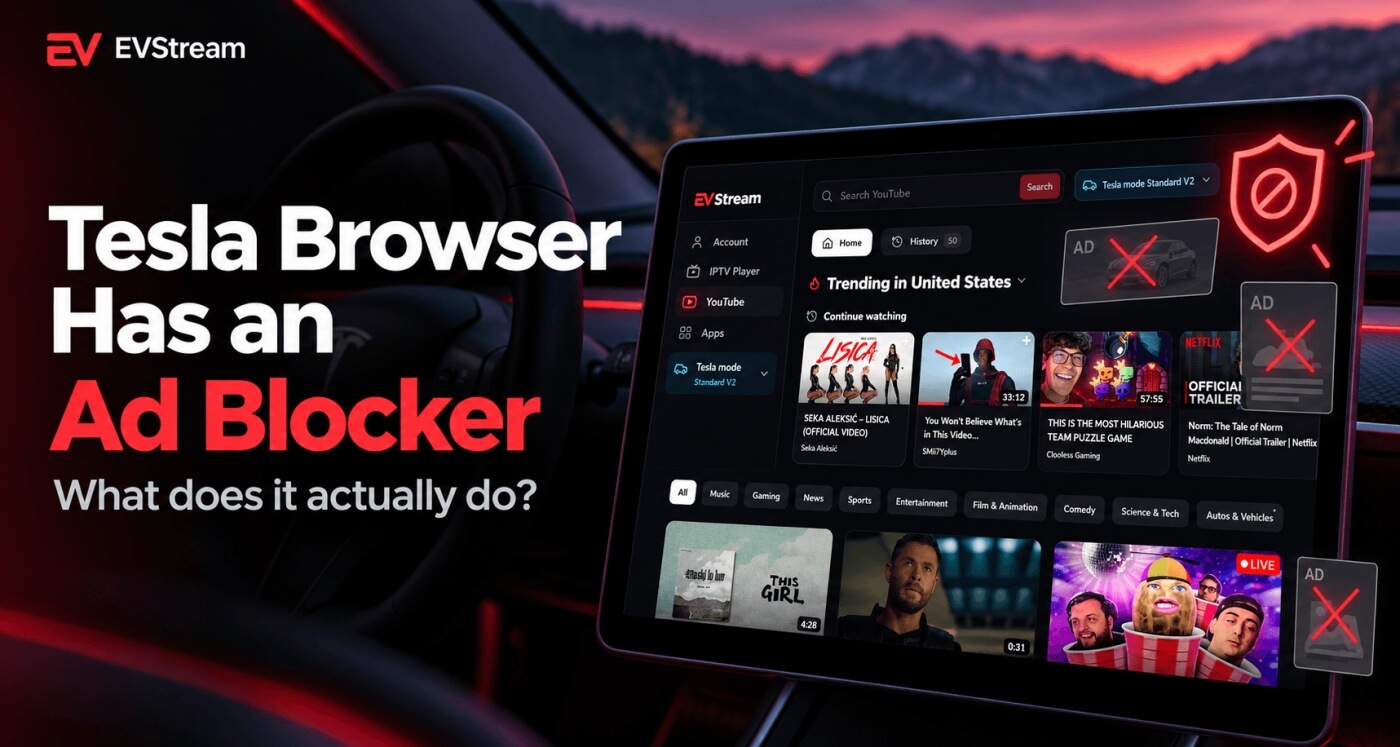
Tesla has quietly added something useful to its built-in web browser - an ad blocker.
The feature appeared with Tesla's 2026.32 software update and can help clean up websites that normally load banners, pop-ups, floating ads and other unnecessary page elements.
That's particularly interesting in a car browser, where heavy websites can sometimes feel slower than they do on a modern phone or computer.
But what exactly does Tesla's new ad blocker do?
Does it block every ad?
Does it remove YouTube ads?
And does it actually make the Tesla browser better?
Let's take a closer look.
Tesla Added an Ad Blocker to the Browser
The ad blocker arrived as an undocumented feature in Tesla's 2026.32 software branch.
If your Tesla has received the feature, you'll see an ad-blocking control in the browser that allows you to turn it on or off.
Once enabled, the blocker works in the background while you browse websites.
You don't need to install an extension or download anything separately.
That's a useful change because Tesla's browser is used for much more than simple web searches.
Owners use it for:
- News websites
- Weather
- Trip planning
- Maps
- Browser apps
- Entertainment
- Streaming websites
- EV tools
- Services such as EVStream
Removing unnecessary advertising and page clutter can make all of those websites easier to use from the car's touchscreen.
What Does the Tesla Ad Blocker Actually Block?
The feature appears to focus on normal website advertising.
That includes things such as:
- Banner ads
- Pop-up advertising
- Floating ads
- Some automatically loaded advertising elements
- Some advertising and tracking resources
Instead of loading the full page with every advertisement around the content, the browser can prevent some of those elements from loading.
The result can be a much cleaner page.
Fewer elements to load, and less of the page covered.
If you've ever opened a news website in your Tesla and had half the screen covered by a banner, pop-up or floating video, you'll immediately understand why this is useful.
Can It Make the Tesla Browser Faster?
Potentially, yes.
Ads aren't just pictures sitting on a website.
Modern advertising can involve scripts, animations, tracking requests, videos and connections to several third-party services.
All of that takes processing power, memory and bandwidth.
If the browser prevents those resources from loading, there is simply less work for the car's infotainment computer to do.
That can mean:
- Faster page loading
- Smoother scrolling
- Less page clutter
- Lower memory usage
- Less data transferred
The difference may be especially noticeable on older Tesla vehicles using Intel-based infotainment hardware.
Newer AMD Ryzen systems have considerably more processing power, but even there, loading fewer unnecessary page elements can still make browsing feel cleaner.
Does Tesla's Ad Blocker Block YouTube Ads?
This is where an important distinction needs to be made.
Tesla's new feature is a general browser ad blocker.
That does not automatically mean it removes the video advertisements shown inside YouTube.
YouTube advertising is different from a normal banner or pop-up on a website, and ad-blocking behavior can change depending on how YouTube delivers those ads.
So we would not recommend assuming:
Tesla browser ad blocker = YouTube without ads
If you want to watch YouTube in your Tesla, EVStream provides a separate browser-based YouTube player designed for the car screen.
Open evstream.app/youtube.
EVStream's YouTube player does not require you to install anything in the car.
You can read our full guide here: How to Watch YouTube in Your Tesla Browser
Tesla Ad Blocker vs EVStream YouTube
The two features solve different problems.
Tesla's browser ad blocker
Primarily helps clean up normal websites by reducing advertising and unnecessary page elements.
Think: news sites, blogs, websites with banners, pop-ups, floating advertisements.
EVStream YouTube
Is specifically designed to provide a browser-based YouTube experience for the car screen.
Plus search and suggestions, channels, playlists, autoplay, chapters, comments, watch history, Continue Watching, Previous and Next, related videos, and Flex Mode for additional browser compatibility.
So if you're reading an article on a website, Tesla's ad blocker may make that page much cleaner.
If you're opening YouTube to watch videos on the car screen, that's where EVStream comes in.
How Do You Turn the Tesla Ad Blocker On?
If the feature is available on your Tesla, look for the ad-blocking icon in the browser interface.
The blocker can be enabled or disabled from there.
There currently doesn't appear to be a complicated settings page where you need to configure lists or choose individual advertising networks.
It's designed to be simple.
Turn it on and browse normally.
If a particular website behaves strangely with the blocker enabled, you can turn it off and try the page again.
That's worth remembering because no ad blocker is perfect.
Some websites depend heavily on advertising scripts, and occasionally blocking those resources can affect how a page behaves.
Why This Feature Is Particularly Useful in a Tesla
Ad blocking isn't exactly a new idea.
Desktop browser users have been using ad blockers for years.
But it makes a lot of sense inside a Tesla.
The car's browser has a large touchscreen, but it still isn't the same environment as a desktop computer.
You don't want to spend your time closing pop-ups, trying to tap tiny X buttons or scrolling past huge advertising blocks while you're sitting at a charger.
A cleaner page is simply easier to use.
This is especially valuable for websites you might quickly check while parked, such as:
- Weather forecasts
- Charging information
- News
- Restaurants
- Travel information
- Maps
- Forums
- Road trip planning
If you're looking for more useful websites to try in your car, we've put together a list of the best Tesla browser apps and websites.
Does the Ad Blocker Save Mobile Data?
It can.
If advertising images, scripts and videos are prevented from loading, those resources don't need to be downloaded.
That can reduce the amount of data used while browsing.
How much you save will depend entirely on the websites you visit.
A lightweight website with very few ads may show almost no difference.
A page filled with advertising videos, large banners and third-party scripts could be different.
This can be particularly useful if your Tesla is connected through your phone's mobile hotspot and your plan has limited hotspot data.
Video streaming itself will still use far more data than ordinary web browsing, so the ad blocker shouldn't be viewed as a way to dramatically reduce the data used by YouTube or IPTV.
Will the Ad Blocker Fix Slow Websites?
Sometimes it may help, but don't expect miracles.
If a website is slow because it is loading dozens of advertising scripts and heavy banners, blocking those elements could make a noticeable difference.
But if the problem is:
- A slow internet connection
- Weak Wi-Fi
- A poorly built website
- A slow server
- Browser compatibility
- An unsupported video format
then ad blocking may not solve it.
If websites load normally but videos specifically refuse to play, that's probably a different problem.
We have a separate guide for that: Tesla Browser Video Not Playing? Common Causes and Fixes
What About Older Tesla Vehicles?
This may be one of the most interesting parts of the update.
Older Tesla infotainment systems using Intel hardware have less processing power than newer AMD Ryzen systems.
Modern websites can be surprisingly demanding.
Advertising scripts, animations, tracking systems and automatically playing media can all add extra work.
Blocking some of those resources before they load can reduce the amount of work the browser needs to do.
That doesn't suddenly turn older hardware into a new Ryzen-based system, but removing unnecessary content is a sensible way to make browsing lighter.
Tesla's Browser Keeps Getting Better
The ad blocker is another sign that Tesla is continuing to improve its browser instead of treating it as an afterthought.
And that's important because the browser can turn the Tesla touchscreen into much more than a way to search the web.
With browser-based services, you can use it for entertainment, travel planning, weather, games, YouTube and other useful tools.
EVStream was built around that same idea.
Instead of requiring another app installation, EVStream runs directly inside the browser.
You can open evstream.app. For YouTube, go to evstream.app/youtube. Or, if you already have your own IPTV provider, open evstream.app/connect.
EVStream does not provide IPTV channels or subscriptions - it provides the browser-based player.
Frequently Asked Questions
Does Tesla have a built-in ad blocker?
Yes.
Tesla added a browser ad blocker with the 2026.32 software branch.
It can be enabled or disabled from the browser interface on supported vehicles that have received the feature.
Does Tesla's ad blocker remove YouTube ads?
You should not assume that it does.
Tesla's feature is designed as a general browser ad blocker, while YouTube video advertising works differently from normal website banner and pop-up advertising.
Does the Tesla ad blocker make websites faster?
It can.
Preventing advertising scripts, banners, tracking resources and other unnecessary elements from loading can reduce the amount of work required to display a webpage.
The difference will depend on the website.
Is the ad blocker useful on older Teslas?
Potentially, yes.
Older Intel-based infotainment systems have fewer processing resources than newer AMD Ryzen systems, so reducing heavy page elements can be particularly helpful.
Can I turn the ad blocker off?
Yes.
Tesla provides a browser control that allows the feature to be enabled or disabled.
Does EVStream need Tesla's ad blocker?
No.
EVStream does not depend on Tesla's browser ad blocker.
EVStream's YouTube player is available directly through evstream.app/youtube.
Final Thoughts
Tesla adding a built-in ad blocker is a small change that could make a surprisingly noticeable difference.
The Tesla browser is often used on a large touchscreen where intrusive banners and pop-ups are even more annoying than they are on a laptop.
Blocking some of that clutter can make pages cleaner, reduce unnecessary resource usage and potentially improve browser performance.
Just remember that a general browser ad blocker may not remove the video ads inside YouTube.
If you want cleaner normal websites, Tesla's new blocker is worth enabling.
And if you want a YouTube player built for your Tesla browser, you can try evstream.app/youtube.
For more useful things to try in your Tesla browser, see our guide to the best Tesla browser apps and websites.
Open your Tesla browser and try it today
Charge your car. Stream your favorites.
Launch EVStream.app